About Permissions for Wix Apps
For a conceptual overview of permissions on the Wix platform, see Permissions.
In the app dashboard, you specify the permission scopes your app requires from site owners.
APIs
In the REST API, JavaScript SDK, and Velo (for Wix Blocks) reference, each endpoint and method lists supported permission scopes. To use the endpoint or method, your app needs to have at least one of the listed permission scopes.
To set up permissions, see Configure Permissions for Your App.
Webhooks
With webhooks, permissions are configured during the subscription process as follows:
-
If a single permission scope is required to use the webhook, Wix automatically adds that permissions scope to your app.
-
If there are multiple possible permission scopes that allow you use the webhook, you're prompted to select the desired permission scope. For example:
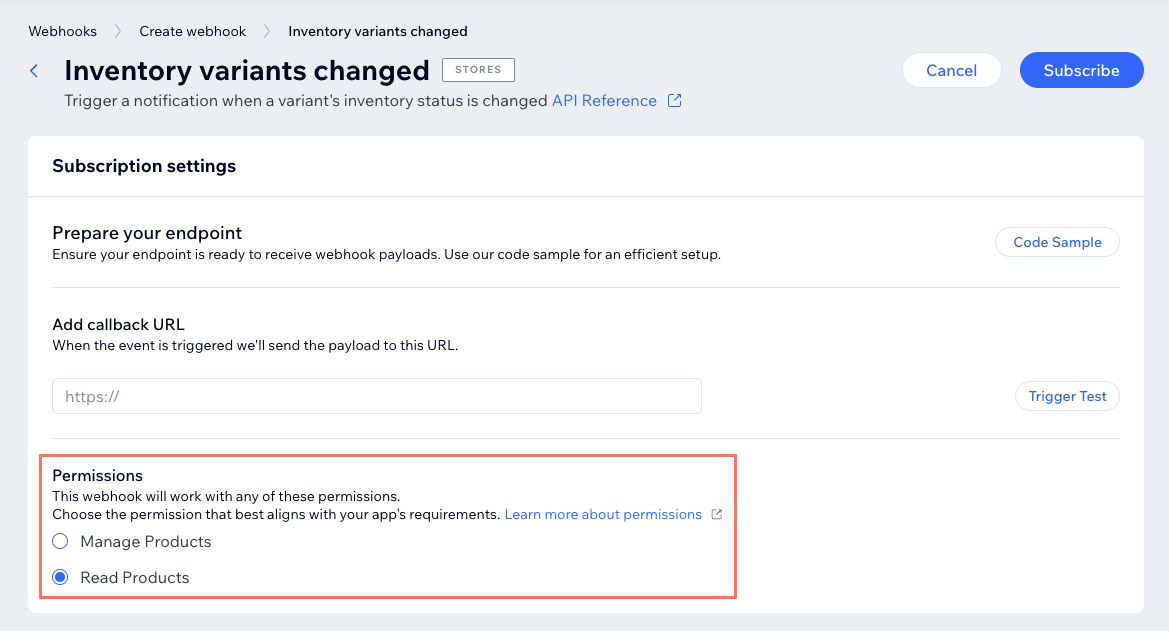
When you click Subscribe, the permissions are added to your app.
App Market guidelines
For your app to be approved on the app market, it must request only the necessary permissions for app functionality. This requirement includes refraining from requesting permissions that are redundant or contained within others. For example, if your app requires and requests Manage Stores - All Permissions, it shouldn't also request Manage Products because those permissions are already included in the greater permission set.
See also
Last updated: 31 August 2026