> To build or manage a Wix site with an AI agent, follow https://www.wix.com/headless/skill.md
> It builds a new Wix site or puts your own site online, from a prompt, and keeps changing it afterwards. The pages are code in any web technology, and Wix runs the backend.
> It works through the Wix plugin (the Wix MCP and the Wix skills), the Wix CLI or no Wix login, and puts the site live on Wix hosting or on another host.
> Business features include a store, bookings, events and tickets, a restaurant, a blog, forms, members and many more.
> Read the Wix skills online at https://www.wix.com/skills
>
> Portal Navigation:
>
> - Append `.md` to any URL under `https://dev.wix.com/docs/` to get its markdown version.
> - Pages are either content pages (article or reference text) or menu pages (a list of links to child pages).
> - To get a menu page, truncate any URL to a parent path and append `.md` (e.g. `https://dev.wix.com/docs/sdk.md`, `https://dev.wix.com/docs/sdk/core-modules.md`).
> - If a reference page seems to be missing its schema (parameters, return types, or type definitions), append `?schema=true` to its `.md` URL (e.g. `https://dev.wix.com/docs/contexts/contexts/stores/category-info/use-category-info-context.md?schema=true`).
> - Top-level index of all portals: https://dev.wix.com/docs/llms.txt
> - Full concatenated docs: https://dev.wix.com/docs/llms-full.txt
## Resource: About Wix Blocks
## Article: About Wix Blocks
## Article Link: https://dev.wix.com/docs/build-apps/develop-your-app/develop-an-app-with-blocks/about-wix-blocks.md
## Article Content:
# About Wix Blocks
**Editor compatibility**
Wix Blocks apps aren't supported in the Wix Harmony editor. Existing Blocks apps remain available for purchase on the Wix App Market for Wix Editor and Wix Studio sites. To learn more, see [About Wix Harmony and Blocks](https://dev.wix.com/docs/build-apps/develop-your-app/develop-an-app-with-blocks/about-wix-harmony-and-blocks.md).
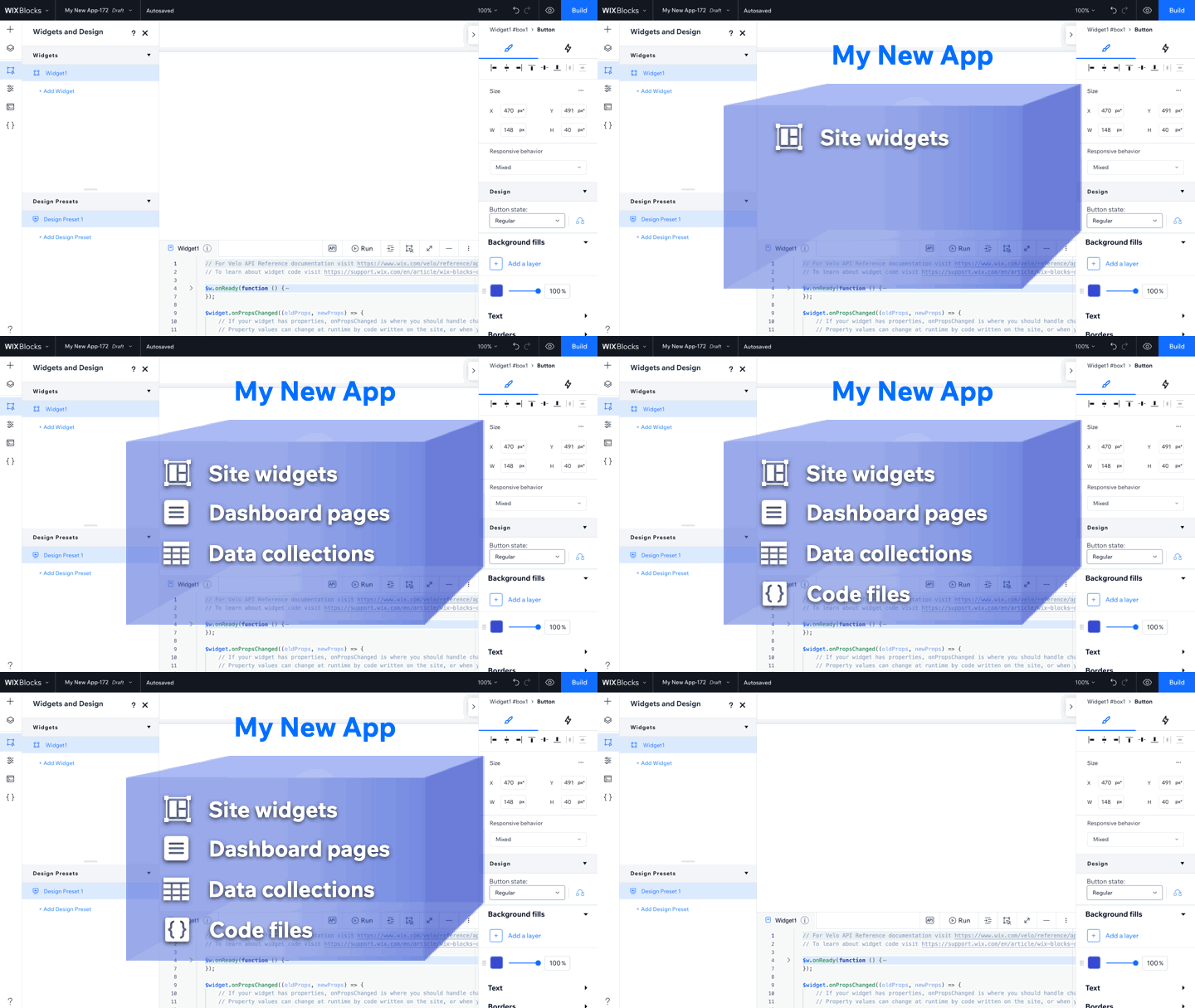
Wix Blocks is an editor for designing, coding and deploying native Wix apps. It lets you build site and dashboard extensions using Wix’s drag-and-drop editor, with its powerful layout and design tools, and [add logic and APIs](https://dev.wix.com/docs/build-apps/develop-your-app/develop-an-app-with-blocks/code-in-blocks/about-coding-in-blocks.md). Your code is deployed and hosted on the Wix cloud, with no additional costs or setup by you.
[](https://manage.wix.com/account/custom-apps)
## Extend Wix using Blocks
Blocks apps can add functionality to various parts of the [Wix ecosystem](https://dev.wix.com/docs/build-apps/get-started/overview/the-wix-ecosystem.md), such as adding a page to a site’s dashboard or a widget to a site page. Each specific type of functionality that an app can provide is called an extension.
Learn more about the types of [extensions that are supported on Blocks](https://dev.wix.com/docs/build-apps/develop-your-app/develop-an-app-with-blocks/supported-extensions/about-extensions-in-blocks.md).
## When you need custom UI
Blocks is a composition tool that lets you rapidly create drag and drop UI from native Wix elements. If you are looking to create a rich custom visual representation, that dynamically adds elements to a widget in flexible locations, you can use one of the following options:
* Create a [Custom Element](https://dev.wix.com/docs/build-apps/develop-your-app/develop-an-app-with-blocks/code-in-blocks/about-custom-elements-in-blocks.md) to embed in Blocks
* Or, use the [Wix CLI](https://dev.wix.com/docs/build-apps/develop-your-app/develop-an-app-with-the-cli/about-the-wix-cli.md) to write your UI code
Learn more about [Choosing your framework](https://dev.wix.com/docs/build-apps/get-started/overview/wix-s-development-frameworks.md).
## Access Blocks from anywhere
There are several entry points across Wix's user interfaces for creating and opening Blocks app, including your Wix Studio workspace, the Wix apps templates page and the Wix Editor.
Learn more about [how to access Blocks](https://dev.wix.com/docs/build-apps/develop-your-app/develop-an-app-with-blocks/get-started/create-a-blocks-app.md).
## Make your app public
You can build Blocks apps [for your own use or for sharing](https://dev.wix.com/docs/build-apps/get-started/overview/exposing-apps-publicly-and-privately.md). If you’re building an app for the Wix App Market, you'll have to set up your App Market listing, create promotional assets to showcase your app, and set up your app’s pricing plans to start making money. Finally, you'll need to submit your app for review so Wix’s team can check that everything’s working as it should.
Learn more about [publishing a Blocks app to the App Market](https://dev.wix.com/docs/build-apps/develop-your-app/develop-an-app-with-blocks/publish-blocks-apps-to-the-app-market/publish-a-blocks-app-to-the-app-market.md).
## Get started with Blocks
Master Blocks quickly with the help of these articles and resources:
* [Blocks Unboxed](https://dev.wix.com/docs/build-apps/develop-your-app/develop-an-app-with-blocks/get-started/blocks-unboxed-a-quick-tour.md): A quick tour of the Blocks editor and what it can do.
* [Blocks app workflow](https://dev.wix.com/docs/build-apps/develop-your-app/develop-an-app-with-blocks/get-started/a-blocks-app-workflow.md): An overview of the stages involved in building a Blocks app from start to finish.
* [Blocks app tutorials](https://dev.wix.com/docs/build-apps/get-started/tutorials/index-of-tutorials.md#blocks-app-tutorials): Gain practical experience by building a working Blocks app through our detailed tutorials.
* [Blocks templates](https://dev.wix.com/apps-templates?filter=blocks): Jumpstart your app with ready-made Blocks templates.
* [Blocks Glossary](https://dev.wix.com/docs/build-apps/develop-your-app/develop-an-app-with-blocks/get-started/wix-blocks-glossary.md): Learn about the different terms you'll encounter when using Blocks.