Set Up Your Payout Account
Before you can publish a paid app, you must become a Wix partner and then set up a Tipalti account to receive payouts. This is a one-time setup at the account level, not the app level.
If your app's business model isn't free, a blocker appears during the app review process requiring you to complete this setup. Until payout account setup is complete, you can't publish the app.
Note: If you don't see the blocker, there's a chance you already have a payout account set up.
Important: You need the Manage Earnings permission to complete this flow. Account owners have this access by default. To give a teammate access, see Grant a teammate access to payouts.
Set up your payout account
To set up your payout account:
- In your account dashboard, navigate to Earnings > Payouts.
- Click Join the Partner Program. The Wix Partners onboarding flow guides you through registering your company as a Wix partner.
- Set up your Tipalti account to configure how you receive payouts.
- Return to your app and continue the publish flow.
Grant a teammate access to payouts
If you want a teammate to set up, view, or manage payouts, create a custom role with the Manage Earnings permission and assign it to them.
Step 1 | Create a custom role
-
Go to Team Management and create a custom role.
-
Enter a Role Title and optional Description.
-
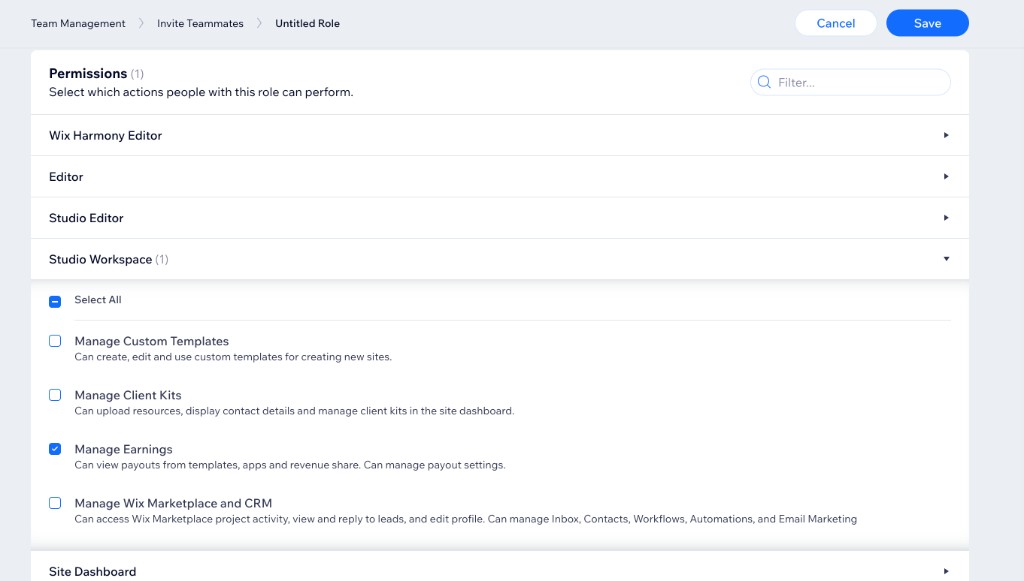
Expand Studio Workspace, then select Manage Earnings.
This permission allows teammates to set up a payout account, view payouts from templates, apps, and revenue share, and manage payout settings.
-
Click Save.
Step 2 | Invite the teammate and assign the role
-
Go to Team Management > Invite Teammates.
-
Enter the teammate's email address.
-
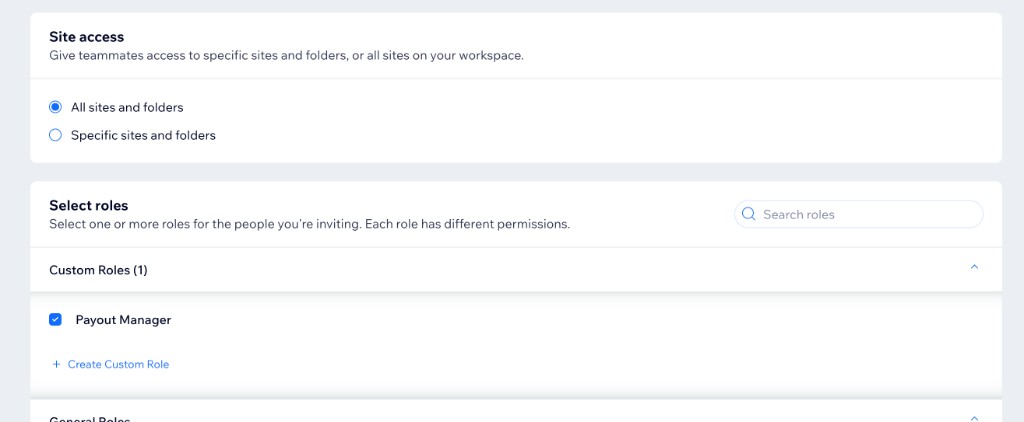
Under Site access, select All sites and folders.
If you grant access to specific sites only, Earnings won't appear for the teammate.
-
Under Select roles, select the custom role you created.
-
Click Send Invite.
The teammate receives an email invitation. Once they accept, they can set up and manage payouts in Earnings > Payouts.
See also
Last updated: 9 September 2026