> To build or manage a Wix site with an AI agent, follow https://www.wix.com/headless/skill.md
> It builds a new Wix site or puts your own site online, from a prompt, and keeps changing it afterwards. The pages are code in any web technology, and Wix runs the backend.
> It works through the Wix plugin (the Wix MCP and the Wix skills), the Wix CLI or no Wix login, and puts the site live on Wix hosting or on another host.
> Business features include a store, bookings, events and tickets, a restaurant, a blog, forms, members and many more.
> Read the Wix skills online at https://www.wix.com/skills
>
> Portal Navigation:
>
> - Append `.md` to any URL under `https://dev.wix.com/docs/` to get its markdown version.
> - Pages are either content pages (article or reference text) or menu pages (a list of links to child pages).
> - To get a menu page, truncate any URL to a parent path and append `.md` (e.g. `https://dev.wix.com/docs/sdk.md`, `https://dev.wix.com/docs/sdk/core-modules.md`).
> - If a reference page seems to be missing its schema (parameters, return types, or type definitions), append `?schema=true` to its `.md` URL (e.g. `https://dev.wix.com/docs/contexts/contexts/stores/category-info/use-category-info-context.md?schema=true`).
> - Top-level index of all portals: https://dev.wix.com/docs/llms.txt
> - Full concatenated docs: https://dev.wix.com/docs/llms-full.txt
## Resource: Hello Show and Hide Elements
## Article: Hello Show and Hide Elements
## Article Link: https://dev.wix.com/docs/coding-examples/getting-started/hello-world/hello-show-and-hide-elements.md
## Article Content:
# Hello Show and Hide Elements
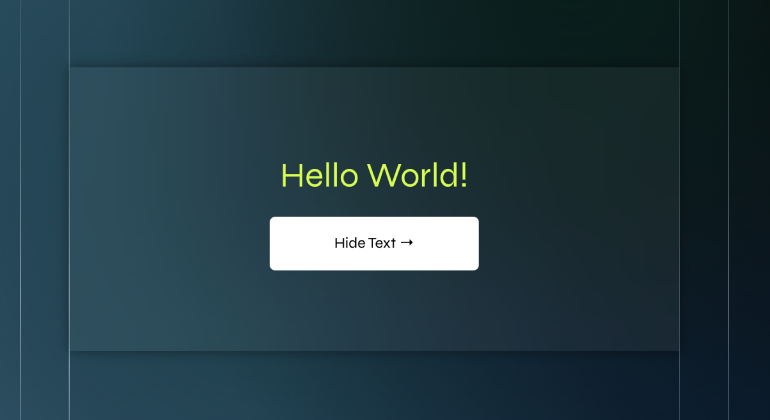
Show or hide a text element when a button is clicked.
IntroductionLast updated: 29 Jul 2025
## About
---
In this example, clicking the button toggles the visibility of the text. The button label also updates to indicate the current action.
## APIs
---
## How we built it
---
We added the following to our site:
#### Page Elements
##### Home
* A [text element](https://dev.wix.com/docs/velo/velo-only-apis/$w/text/introduction.md) to display a message.
* A [button](https://dev.wix.com/docs/velo/velo-only-apis/$w/button/introduction.md) to show or hide the message.
#### Frontend Code
##### Home
The code in this file shows or hides the message when the button is clicked:
* If the text element is hidden, we show it, and then change the button’s label.
* Otherwise, we hide the text element, and then change the button’s label.
## Code Snippets
---
Home
```javascript
$w.onReady(function () {
$w('#showHideButton').onClick(() => {
if ($w("#helloText").hidden) {
$w("#helloText").show();
$w("#showHideButton").label = "Hide Text →"
} else {
$w("#helloText").hide();
$w("#showHideButton").label = "Show Text →"
}
});
});
```
## Get Help
---
### Join the community
Join the [Wix Studio][discord-community] community on Discord, where experienced developers and fellow creators come together to share tips, troubleshoot issues, and collaborate.
### Hire a developer
Building a coded solution on your own can be challenging. Let an experienced Wix developer build it for you, so you can keep working on your site or business.
Visit the [Wix Marketplace][wix-marketplace] to find a trusted developer.
[discord-community]: https://discord.com/invite/GhdmDN926z
[wix-marketplace]: https://www.wix.com/marketplace/brief-auto-match/web-developer?entry=velo&origin=examples-page "Wix Marketplace"
 Introduction
Last updated: 29 Jul 2025