> Portal Navigation:
>
> - Append `.md` to any URL under `https://dev.wix.com/docs/` to get its markdown version.
> - Pages are either content pages (article or reference text) or menu pages (a list of links to child pages).
> - To get a menu page, truncate any URL to a parent path and append `.md` (e.g. `https://dev.wix.com/docs/sdk.md`, `https://dev.wix.com/docs/sdk/core-modules.md`).
> - If a reference page seems to be missing its schema (parameters, return types, or type definitions), append `?schema=true` to its `.md` URL (e.g. `https://dev.wix.com/docs/contexts/contexts/stores/category-info/use-category-info-context.md?schema=true`).
> - Top-level index of all portals: https://dev.wix.com/docs/llms.txt
> - Full concatenated docs: https://dev.wix.com/docs/llms-full.txt
## Resource: Legacy App Project Structure
## Article: Legacy App Project Structure
## Article Link: https://dev.wix.com/docs/wix-cli/legacy-clis/legacy-wix-cli-for-apps/project-structure/legacy-app-project-structure.md
## Article Content:
# Legacy App Project Structure
**Deprecated**
The Legacy Wix CLI for Apps is deprecated. You can no longer create projects with it, and it no longer receives updates or feature additions. New app projects use the [new app project structure](https://dev.wix.com/docs/wix-cli/cli-for-apps/project-structure/about-the-app-project-structure.md). To migrate a project to it, see [Migrate a Legacy CLI App to the New Wix CLI](https://dev.wix.com/docs/build-apps/develop-your-app/develop-an-app-with-the-cli/migrate-an-app-to-the-new-cli/migrate-an-app-from-the-legacy-cli/migrate-a-legacy-cli-app-to-the-new-wix-cli.md). To find out which structure a project uses, see [Determine Which CLI Your Project Uses](https://dev.wix.com/docs/build-apps/develop-your-app/develop-an-app-with-the-cli/project-development/determine-which-cli-your-project-uses.md).
This article describes the structure of an app project that uses the Legacy Wix CLI for Apps, an earlier version of the CLI.
A Legacy Wix CLI for Apps project has the following file structure:
```tsx
.
└── /
├── .wix/
├── dist/
├── node_modules/
├── src/
│ ├── dashboard/
│ ├── site/
│ ├── backend/
│ ├── assets/
│ └── env.d.ts
├── .gitignore
├── .nvmrc
├── package.json
├── README.md
├── tsconfig.json
└── wix.config.json
```
> **Note:** Some of these files and directories don't exist when you first create your app. They're created when you build your app.
## .wix/
Contains configuration and log files related to the Wix environment.
__Caution:__
This directory contains internal data. Don't edit it.
## dist/
Contains a distributable version of the app. This directory and its contents are created automatically from your local project files when you build your app.
Don't edit the files in this directory.
## src/
Source directory. It contains all the source code and core resources of your app.
### dashboard/
Contains subdirectories for each of your app's dashboard extensions.
### site/
Contains subdirectories for each of your app's site extensions.
### backend/
Contains subdirectories for each of your app's backend extensions.
### assets/
A directory for storing static assets such as images and media files.
During the `build` process, the contents of this directory are renamed and copied to the `dist` directory.
To reference files from this directory in `.json` configuration files, use relative paths. For example, `{ "myImagePath": "../../assets/my-image.svg" }`.
Likewise, to import files from this directory into your source code, use relative paths. For example, `import myImage from "../../assets/my-image.svg";`.
### env.d.ts
TypeScript declaration file for environment variables.
Don't edit this file.
## .nvmrc
Contains the version of Node.js that this project uses. Use the `nvm use` command to switch to this defined version using Node Version Manager (NVM).
## package.json
Holds various metadata relevant to the project. It manages the project's dependencies, scripts, and more.
## tsconfig.json
Configuration for the TypeScript compiler.
## wix.config.json
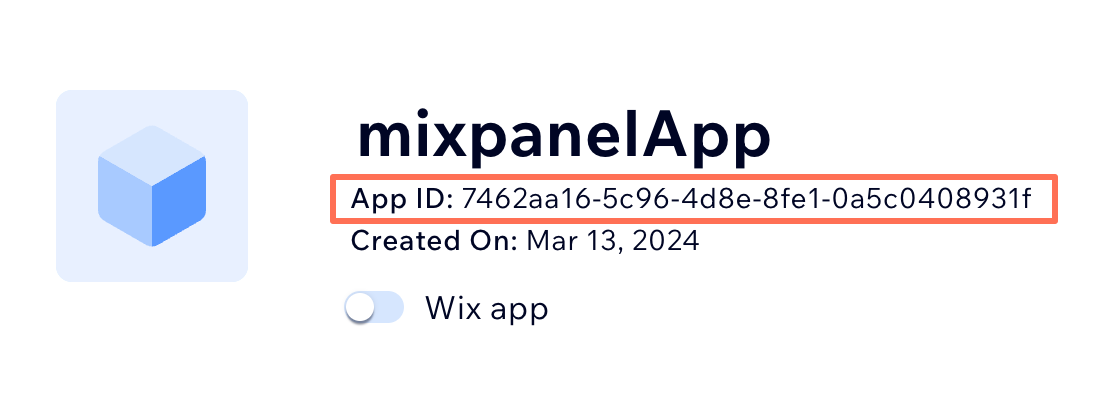
Defines basic information about your app, including `appId` and `projectId`. The `appId` is the same as your app ID in your [app's dashboard](https://manage.wix.com/app-selector?title=Select+an+App&primaryButtonText=Select+Site&actionUrl=https%3A%2F%2Fdev.wix.com%2Fapps%2F%7BappId%7D%2Fhome), as shown here: