> To build a Wix site agentically, or add Wix features like bookings or a store to a site you already have, follow https://www.wix.com/headless/skill.md
>
> Portal Navigation:
>
> - Append `.md` to any URL under `https://dev.wix.com/docs/` to get its markdown version.
> - Pages are either content pages (article or reference text) or menu pages (a list of links to child pages).
> - To get a menu page, truncate any URL to a parent path and append `.md` (e.g. `https://dev.wix.com/docs/sdk.md`, `https://dev.wix.com/docs/sdk/core-modules.md`).
> - If a reference page seems to be missing its schema (parameters, return types, or type definitions), append `?schema=true` to its `.md` URL (e.g. `https://dev.wix.com/docs/contexts/contexts/stores/category-info/use-category-info-context.md?schema=true`).
> - Top-level index of all portals: https://dev.wix.com/docs/llms.txt
> - Full concatenated docs: https://dev.wix.com/docs/llms-full.txt
## Resource: About Wix Design System
## Article: About Wix Design System
## Article Link: https://dev.wix.com/docs/wix-design-system/introduction/about-wix-design-system.md
## Article Content:
# About Wix Design System
## Get started
Build Wix product interfaces with reusable React components, icons and design guidelines.
##### Components
Use component guidelines, code snippets, APIs and more.
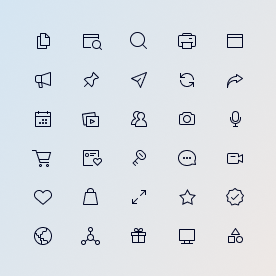
##### Icons
Choose from over 400 icons for common actions and items.
##### Design guidelines
Access design recommendations and best practices for building Wix apps.
---
## What can you build?
Wix Design System lets you design React-based Wix apps distributed through the [Wix App Market](https://www.wix.com/app-market). It comes with a Figma library that holds components, text styles, an icon library and ready-made page templates.
### Dashboard pages
Create dashboard pages for your app that make it easier for Wix users to manage their business operations and website data from one place. To learn more, see [Dashboard Layout Guidelines](#/page/guidelines/layout).

### App settings panels
Create app settings panels that allow Wix users to control the design and behavior aspects in your app. To learn more, see [Settings Panel Layout Guidelines](#/page/guidelines/settingspanel).

---
## Resources
- [Get started developing](#/page/introduction/develop)
- [Get started designing](#/page/introduction/design)