Create a Self-Managed Headless Project
Self-managed headless lets you build a frontend with any framework and connect it to Wix's backend, while you handle hosting and authentication yourself. This article takes you through creating a headless project, connecting your frontend, and calling a Wix API.
Note: For a simplified setup where Wix handles hosting and authentication for you, start with Wix-managed headless.
Step 1 | Create a headless project
A headless project is a Wix site that uses Wix's business management platform without a Wix editor. It appears in your Wix account alongside your sites.
Already have a Wix site? You don't need to create a new project. See Add a Frontend to an Existing Wix Site to turn your existing site into the backend for a new frontend.
To create a headless project:
-
Create a new headless project.
-
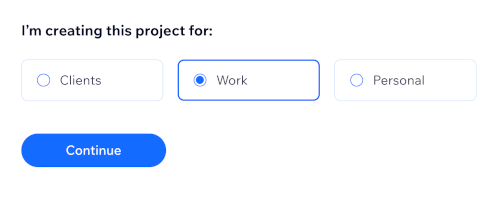
Choose your project's purpose.
-
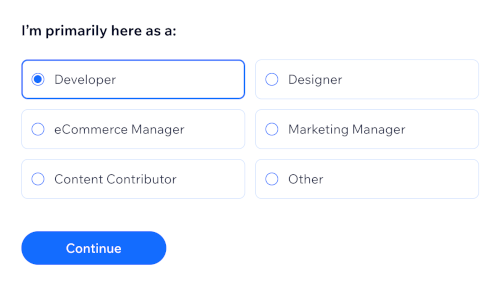
Choose your role.
-
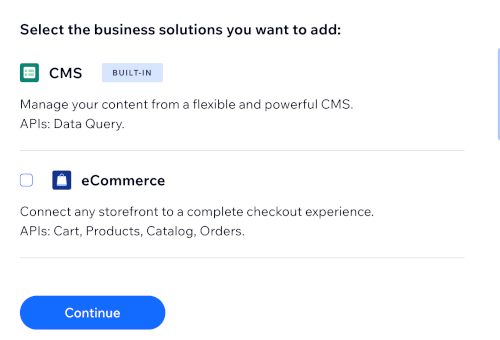
Choose the business features you want to add, such as eCommerce, Bookings, Pricing Plans, or Events. You can always add more later.
-
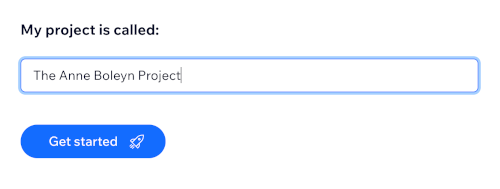
Enter a name for your project. You can always change it later in the project dashboard.
Note: You need to upgrade to a premium plan to receive payments, view detailed analytics, connect a custom domain, and access other advanced functionality.
Step 2 | Connect your frontend
To call Wix APIs, your frontend needs to be authorized. Set up a headless client for your project. This works the same whether you're connecting to a new project or an existing site. Choose an authorization strategy based on what you're building:
- Visitors and Members (OAuth): For a site or app used by customers, such as anonymous visitors and logged-in members.
- Admin (API key): For a project with customized administrative access to your Wix account's sites and projects.
For the full setup steps, see Set Up a Headless Client. You can use more than one strategy in the same project.
Step 3 | Call a Wix API
With a client connected, choose how you'll call Wix APIs:
- JavaScript SDK: If you're coding in JavaScript.
- REST API: If you're not coding in JavaScript.
You can use both the SDK and the REST API in the same project.
Caution: The Quick Start with AI flow and the Wix Headless skill always provision their own new managed project. They don't attach to the project or client credentials you set up in Steps 1 and 2 above. Ask your agent to write SDK/REST calls against these existing credentials directly instead of pointing it at the skill URL, or you'll end up with 2 separate, unrelated Wix projects.
Step 4 | Set your frontend link and custom domain (Optional)
Set your frontend link if you use Wix-managed flows such as login or checkout, or if you send marketing emails and notifications.
Your frontend link is the URL of your externally hosted site, which Wix uses to return visitors to your frontend and to link to your site in emails. If you don't use these features, you can skip this step.
Additionally, you can connect a custom domain so processes like checkout and login provide a more seamless visitor experience.
Next steps
- Set Up a Headless Client: Connect additional frontends, or an existing Wix site.
- Authorization Strategies: Understand OAuth and API key authentication in depth.
- Invite collaborators to help manage your project.
Last updated: 26 August 2026