Fix a Broken Git Integration
Git Integration relies on the Velo GitHub App to maintain the connection between a site and its GitHub repository. If the app is uninstalled or suspended, the site's Git integration stops working. Git integration can also stop working if you make changes to the repo's settings or to your GitHub account settings. When the connection between a site and GitHub is lost, a modal indicating the problem appears in the editor.
The following sections explain each of the modals you might see in the editor, and the steps you can take to fix Git integration.
Repository not found
The GitHub repository can't be found modal indicates that the Velo GitHub App can't find the site's repo. This happens in the following cases:
- You deleted the repo.
- You changed the repo's name.
- You transferred the repo to another GitHub account or organization.
- You changed your GitHub username.
- You revoked the Velo App's access to the repo.
In the first 4 cases, you need to disconnect the site from GitHub. You can do this by clicking the Disconnect From GitHub button in the modal. Once you've done this, connect the site to GitHub again and create a new repo for the site. Please note that you can't reconnect the site to the original repo.
In the last case, you can restore the connection to the site's repo by granting the Velo App access to it:
- Open GitHub in a new tab in your browser.
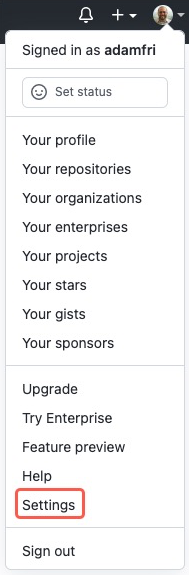
- In the upper-right corner, click your profile photo and select Settings.
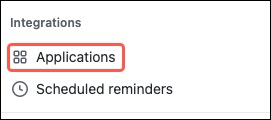
- On the left sidebar, under Integrations, click Applications.
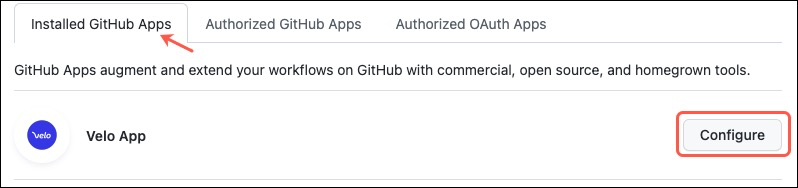
- With the Installed GitHub Apps tab selected, find the Velo App and click Configure.
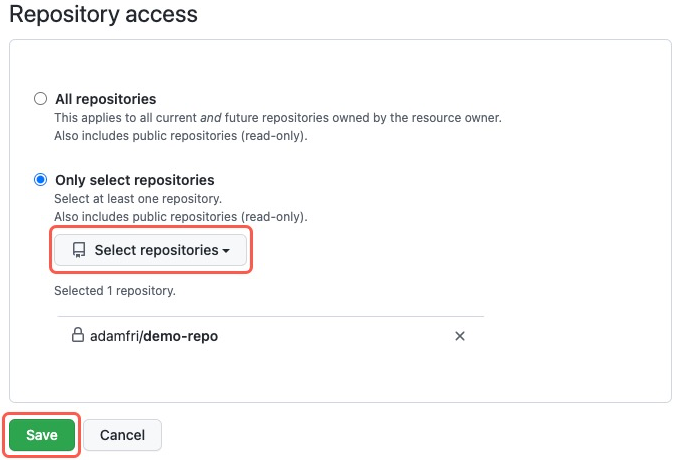
- In the Repository access section, click Select repositories. Select the site's repository from the dropdown list. Click Save.
- Return to the editor and refresh the page.
Velo app uninstalled
The Velo App on GitHub was uninstalled modal indicates that you have uninstalled the Velo App from your GitHub account. To reinstall the app, take the following steps:
- Open the Velo App page in a new tab in your browser.
- Click Configure.

- Select where you want to install the app.
- Select Only select repositories and select the site's repository from the dropdown list.
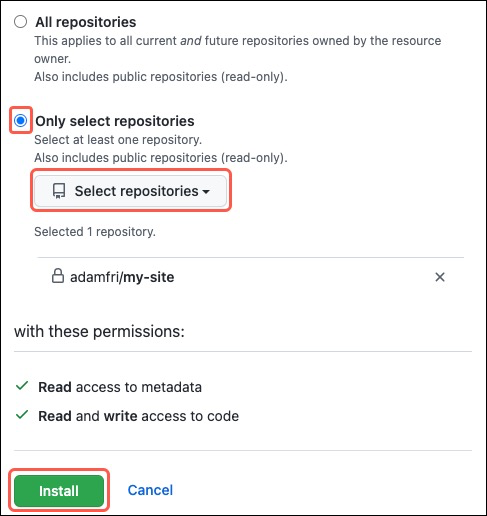
- Click Install.
- Return to the editor and refresh the page.
Velo app suspended
The Velo App on GitHub was suspended modal indicates that you have suspended the Velo App's access to your GitHub account. To unsuspend the app, take the following steps:
- Open GitHub in a new tab in your browser.
- In the upper-right corner, click your profile photo and select Settings.
- On the left sidebar, under Integrations, click Applications.
- With the Installed GitHub Apps tab selected, find the Velo App and click Configure.
- In the Danger Zone section, click Unsuspend.
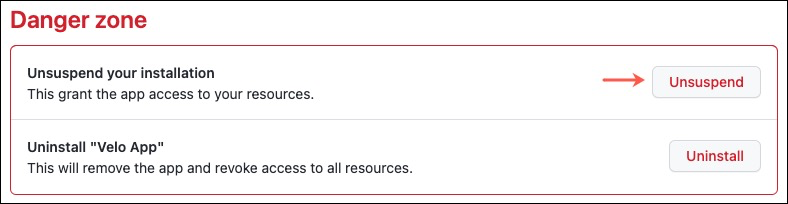
- Return to the editor and refresh the page.
See also
Last updated: 11 December 2025