Functional Testing Examples
With functional testing you can easily test your backend functions individually, reducing the need to build your own system for triggering and testing your backend code.
You can use functional testing to test a variety of scenarios, such as functions with:
HTTP requests
Below is an example of a function with an HTTP request that performs basic arithmetic operations based on the request path and query parameters:
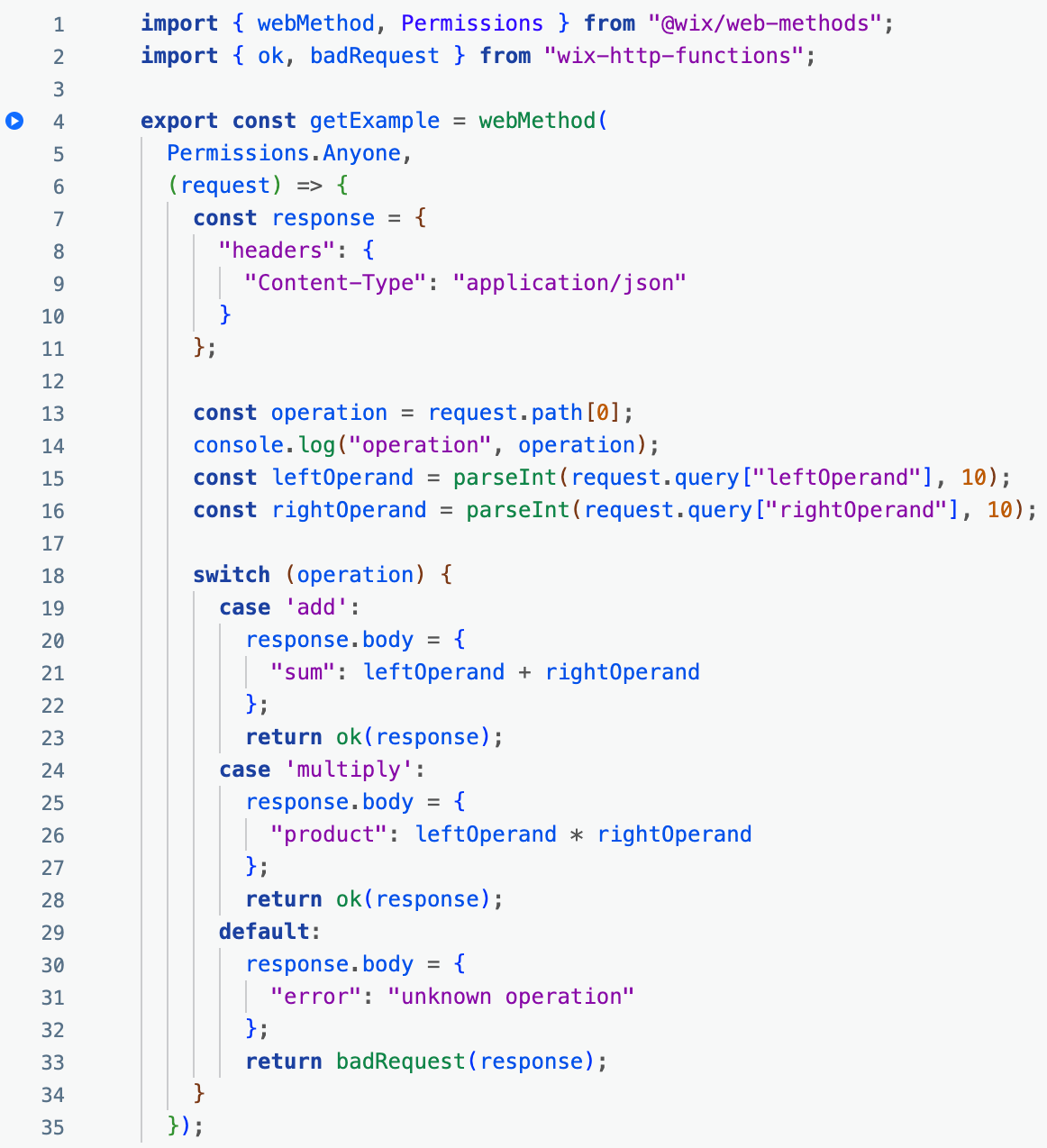
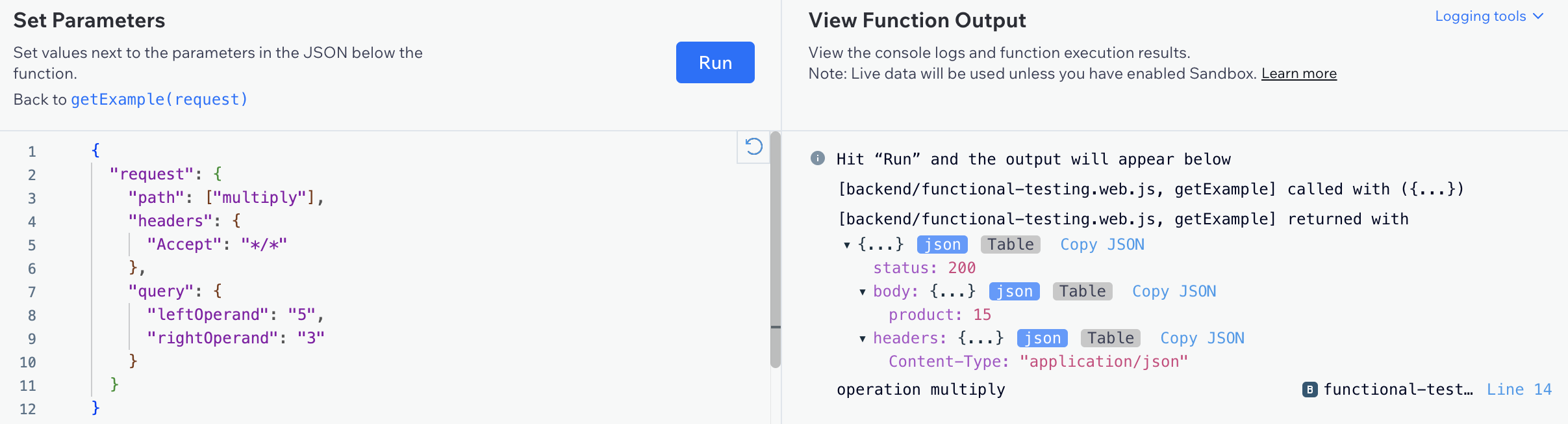
To test HTTP functions, specify the HTTP request object by replacing the placeholder data in the request template. For example, when testing a post function, replace the placeholder JSON object in the body property with a JSON object you want to test with.
The following properties are included in the request templates:
- For
getanddeletefunctions:path,headers, andquery - For
putandpostfunctions:path,headers, andbody - For
optionsfunctions:pathandheaders - For
usefunctions:path,headers,query, andmethod
Destructured parameters
You can pull values from arrays from objects into distinct variables using destructured parameters. The following function destructures the parameters { factor1, factor2 } directly from the specified object and returns their product:
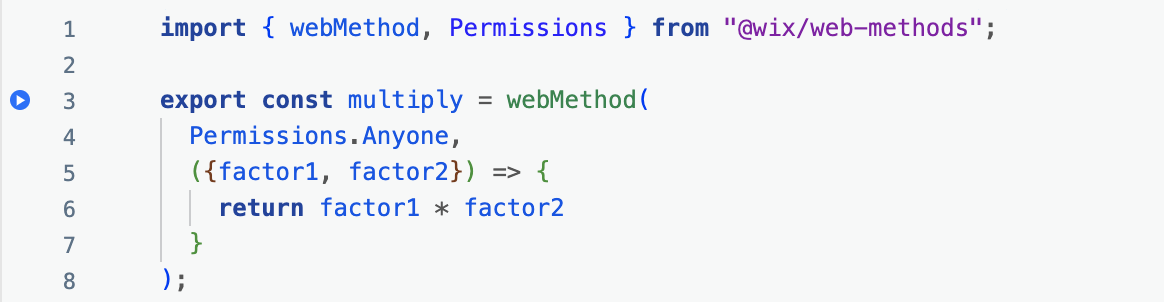
To test a function with destructured parameters, place parameter values in a JSON object inside an array:

Missing arguments
When you set default values in your function declarations, you can test those functions without needing to provide all of the arguments. Here is an example of a function that uses default values for factor2 and factor3.
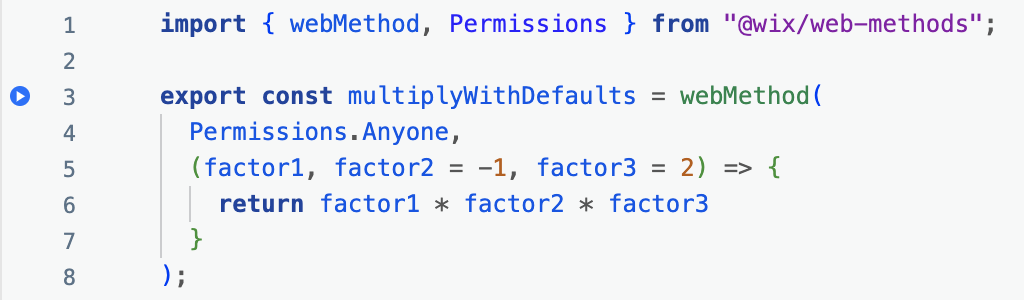
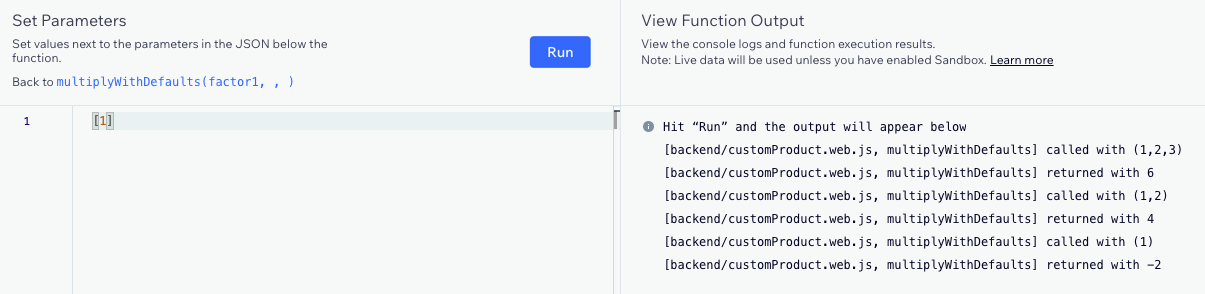
To test a function without providing all of the arguments, place the arguments in an array in the Set Parameters section, and leave out at least one of the arguments that has a default value.
For example, the multiplyWithDefaults() function above was tested 3 times with the following arguments:
- [1,2,3]
- [1,2]
- [1]
The following results were returned:
- 1 * 2 * 3 = 6
- 1 * 2 * 2 = 4
- 1 * -1 * 2 = -2
JavaScript 'arguments' objects
The JavaScript arguments object can accept any number of arguments in a function. Here is an example of a function that uses the arguments object to find the sum of all the arguments provided.
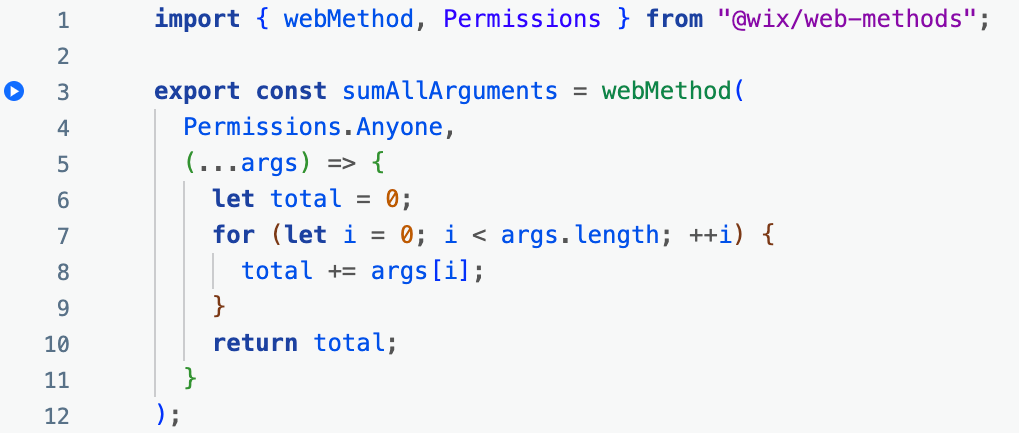
To test a function containing the JavaScript arguments object, place the arguments in an array in the Set Parameters section:

Date objects
When working with functional testing, keep in mind that JSON has no native Date type. The following function accepts a Date object as its parameter.
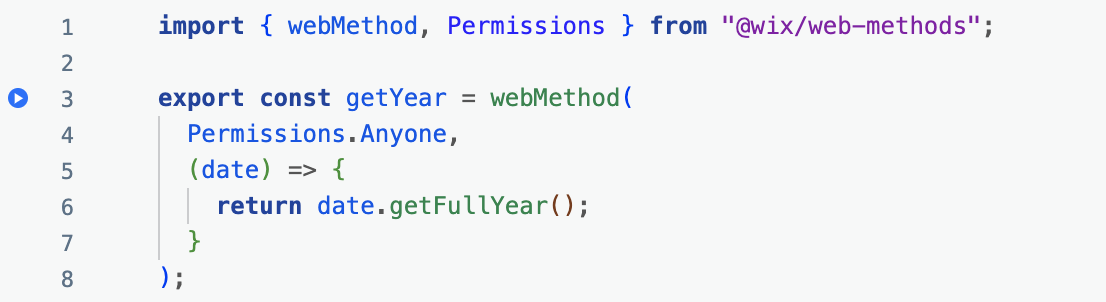
To test a function with a Date parameter, specify the value as a stringified date in the JSON using one of the following syntaxes:

See also
Last updated: 11 December 2025