Tutorial | Create a Staff Vacation Management Interface
Using the Bookings APIs and Calendar APIs, you can create a backend interface where staff members can block their vacation time. This tutorial shows you how to build a dashboard page where site collaborators select a staff member, choose vacation dates, and block that time in the Bookings calendar. During those periods, the staff member is unavailable for bookings.
How staff members, resources, and schedules interact
To schedule staff vacations, you need to understand how Wix Bookings manages staff members, resources, and calendars.
Wix Bookings automatically creates and manages an associated resource for each staff member. Each resource has an associated schedule, which Wix Bookings uses to manage that resource's availability. The entries on the schedule are events, during which the resource can't be booked.
Therefore, to schedule a staff member's vacation time, you need the full resource object associated with that staff member, which contains the ID of the events schedule associated with that resource. To create the vacation event, you must specify that schedule ID.
Learn more about scheduling and availability in Wix Bookings and how Wix Bookings uses the Calendar APIs.
What you'll build
By the end of this tutorial, you'll have a dashboard page that:
- Displays a dropdown list of all staff members.
- Lets site collaborators choose vacation start and end dates.
- Creates blocked time events on the staff member's calendar.
- Automatically prevents bookings during blocked vacation periods.
The code in this article was written using the following module versions:
- @wix/bookings (v1.0.1167)
- @wix/web-methods (v1.0.0)
- @wix/calendar (v1.0.185)
- @wix/essentials (v1.0.0)
Learn how to install npm packages in the editor or using the CLI.
Use the following steps to build the functionality:
Before you begin
It's important to note the following points before starting to code:
- The Wix user must install the Wix Bookings app on their site.
- The user must add at least one staff member in their Wix Bookings settings.
Step 1 | Create backend methods for staff availability management
Create backend methods to query staff members and create vacation events on their schedules:
-
In your site's backend folder, create a new file called
staff-management.web.js. -
Add the following import statements:
Copy -
Create a web method to query all staff members. Specify
RESOURCE_DETAILSin the optionalfieldsarray to retrieve the full resource object. It contains the schedule ID needed to create vacation events:
export const queryStaff = webMethod(Permissions.SiteMember, async () => { try { const { items } = await staffMembers .queryStaffMembers({ options: { fields: ["RESOURCE_DETAILS"] } });
});
-
Create a web method to set up a staff member's vacation. This method receives the staff member details and date range, constructs an event object, and creates a blocked calendar event:
CopyThese backend methods allow site members to query staff and create vacation events on their schedules.
Step 2 | Create the frontend interface
This step creates a dashboard page interface that allows site collaborators to select a staff member, choose vacation dates, and create blocked time events.
To build the frontend interface:
-
Add a dashboard page to your site.
-
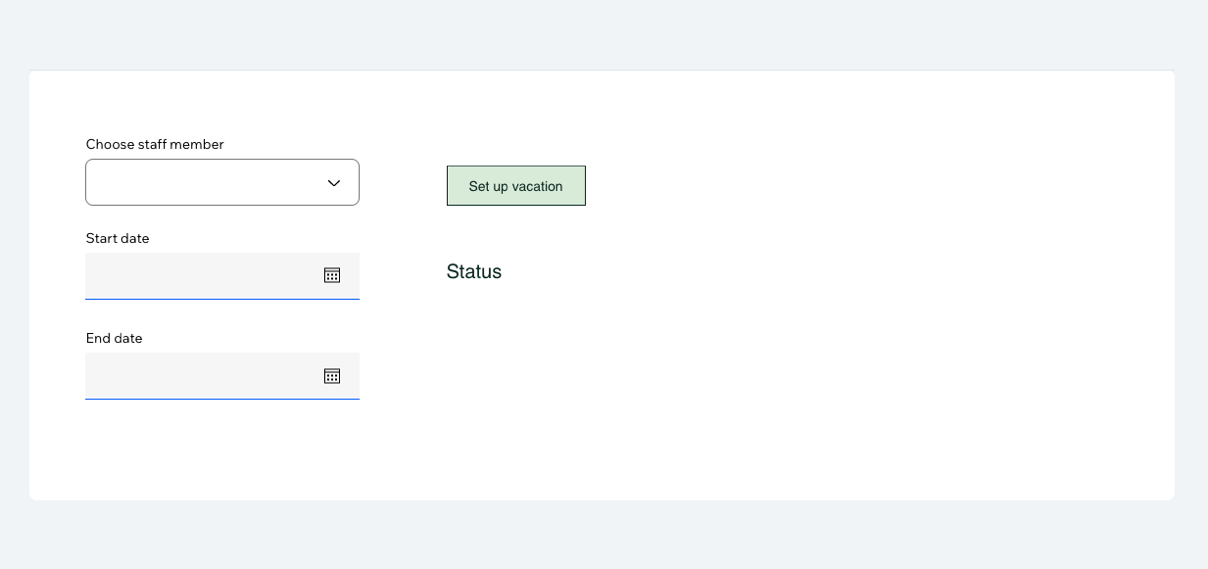
Add the following elements to the dashboard page:
- A dropdown element with ID staffDropdown for selecting staff members.
- A date picker with ID datePickerStart for selecting the vacation start date.
- A date picker with ID datePickerEnd for selecting the vacation end date.
- A button with ID setupButton to trigger the vacation setup.
- A text element with ID statusText to display status messages.
Your dashboard page should look like this:
-
In your dashboard page's code editor, add the following code to import the backend methods and initialize a variable to store the queried staff members:
Copy -
Add methods to format dates and set up the details of the vacation event:
Copy -
Add a method to query staff members and populate the dropdown menu:
Copy -
Set up the dashboard page interface:
Copy -
In the page's
onReady()method, set up the dashboard page:Copy
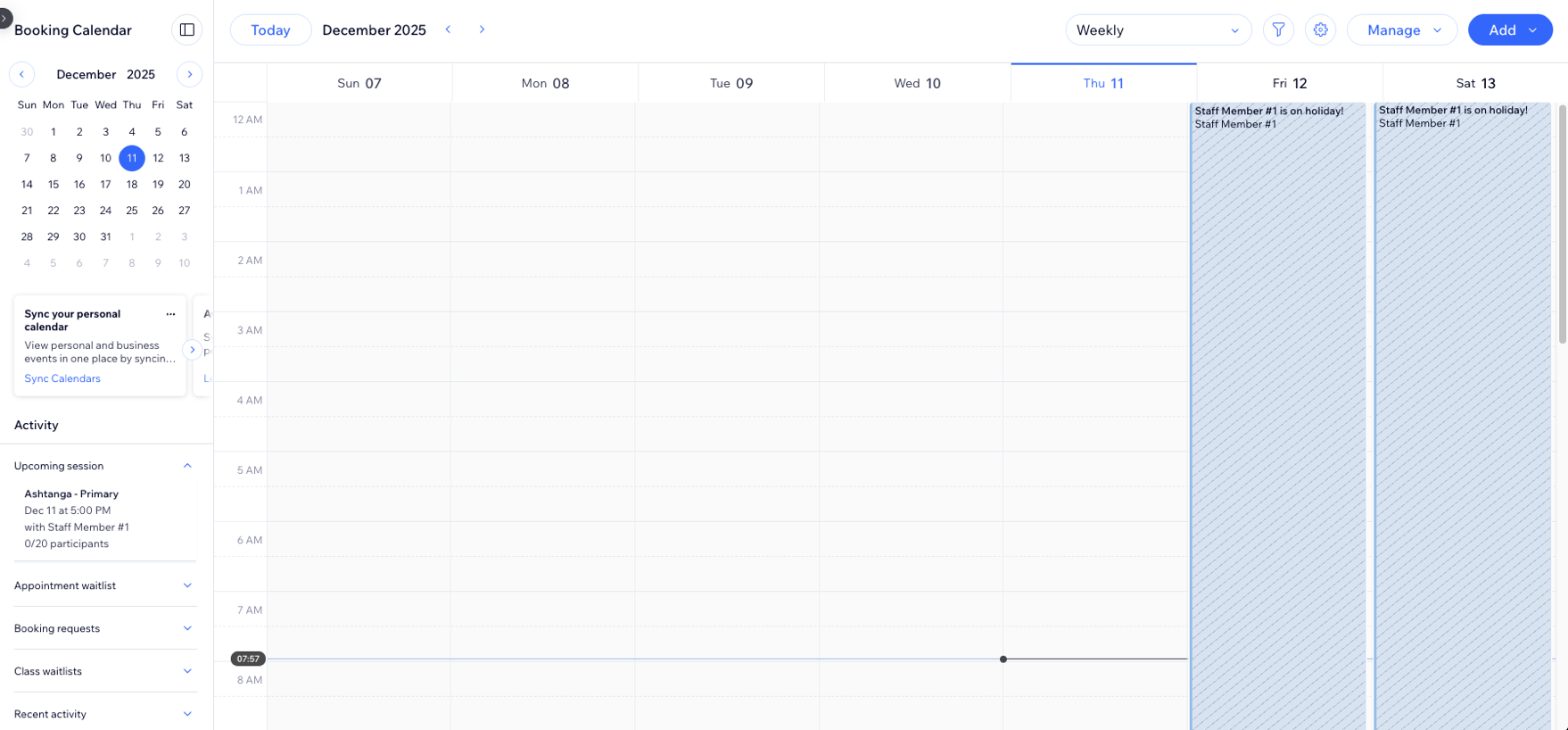
When a site collaborator chooses vacation dates and clicks the setup button, the code creates a blocked event in the Bookings Calendar.
Complete code
Here is the complete tutorial code:
Backend code
Here are the complete backend files:
staff-management.web.js
event-management.web.js
Dashboard page code
Here's the complete dashboard page code:
See also
Last updated: 17 February 2026