About the App Workspace
Deprecated: The AI app builder is deprecated. You can access existing projects in the app workspace until September 17, 2026. To save an existing project, connect it to GitHub. Then you can continue building in your project's repo using the Wix CLI.
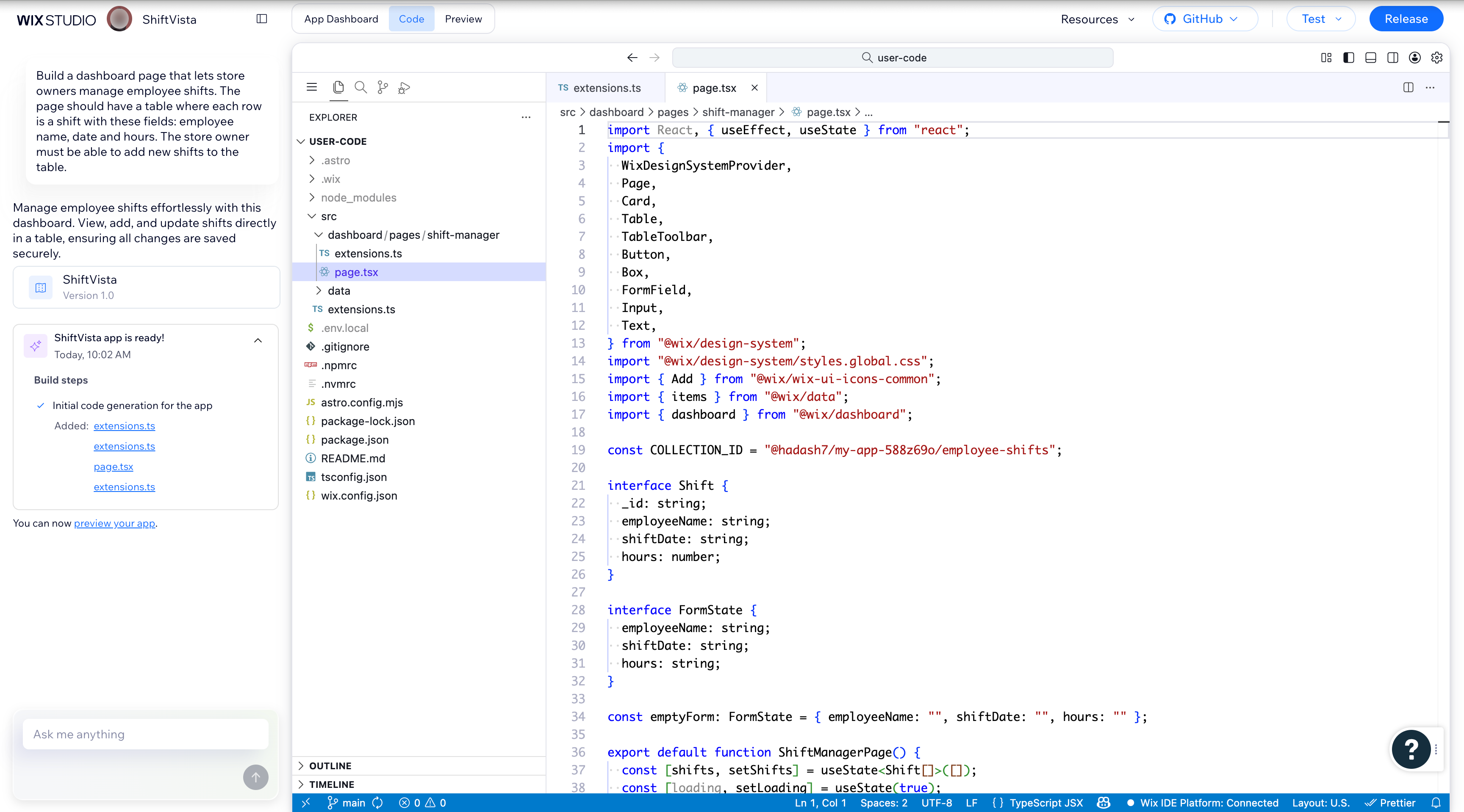
The app workspace is your central development environment for building Wix apps. You can configure your app's settings and permissions in the App Dashboard tab, edit your app's files in the Code tab's VS Code-based editor, and view your app in different contexts with the Preview tab. A built-in AI chat on the left side helps you build and refine your app.
App Dashboard
The App Dashboard tab provides a management hub for your app. In the app dashboard, you can:
Code
The Code tab is a VS Code-based development environment where you can edit your app's files directly. You can also work locally using GitHub integration.
The Code tab only shows code for Wix-managed extensions built with the Wix CLI. If you're building a self-managed app, your extension code lives on your own infrastructure and doesn't appear here. You can manage all of your app's extensions, including self-managed ones, from the Extensions page in the App Dashboard.
Note: The Code tab isn't supported in Safari.
Preview
The Preview tab lets you view your app in different contexts without leaving the workspace. It provides the following views:
- Dashboard Page: View your dashboard extensions as a Wix user.
- Market Listing: View how your app will appear in the Wix App Market.
- Editor: View how your app behaves when integrated with the editor.
- Site: View your site extensions from the perspective of site visitors.
AI chat
The AI chat is available on the left side of the workspace. You can use it to build a new app, edit existing code, ask questions, and get code explanations. The AI agent can read your project files and make changes directly in the editor. For self-managed apps, the AI chat starts collapsed. Click the toggle button in the top left to open it.
For tips on getting the best results from the AI chat, see AI prompts and supported features.
Collaboration
Note: This feature is not currently supported.
Multiple developers can work on the same app simultaneously. Add collaborators in the App Dashboard to give other developers access.
Each collaborator gets their own workspace. The App Dashboard tab is shared, but each developer has an independent Code tab and AI chat. To share code between collaborators, sync with GitHub.
Current limitations:
- Only the app owner can connect to the GitHub repo. Collaborator access to the same repo isn't yet supported.
- Each developer has their own AI chat. Conversations aren't shared between collaborators.
- Conflict handling for simultaneous edits isn't yet supported.
See also
Last updated: 25 August 2026